Best Channel Manager for Holiday Rentals in 2026
If you list your holiday rental on more than one platform, you already know the risk. A guest books on Airbnb, someone else books the same dates on Booking.com, and suddenly you are apologising, cancelling and hoping the review does not suffer. A good channel manager for holiday rentals exists to stop exactly that, and in 2026 it has become one of the most important tools in a host’s toolkit.
This guide explains what a holiday rental channel manager does, why it matters, what to look for before you choose one and how Host Central approaches channel management as part of a complete platform for independent hosts and property managers. You can see the full list of tools on the Host Central features page, or keep reading to understand what really makes a channel manager the right fit.
What Is a Channel Manager for Holiday Rentals?
A channel manager is software that connects your property to several booking platforms, often called channels, from one central place. Instead of logging in to each platform separately to update prices, photos, descriptions and availability, you make the change once and the channel manager passes it to every connected channel.
For holiday rentals, those channels usually include:
-
Airbnb
-
Booking.com
-
Vrbo
-
Expedia
-
Other supported travel platforms
When a booking arrives on any of them, the channel manager updates your calendar so the same dates are no longer available elsewhere. That is the core promise: one calendar, many channels, no double bookings.
A channel manager is different from a simple calendar sync. Basic calendar syncing may copy availability between platforms at intervals, but a full vacation rental channel manager is built to manage listings, rates, availability and bookings together, and often connects to the rest of your operation, such as guest messaging, payments and tasks.
Why a Channel Manager Matters More in 2026
Travellers now compare options across several sites before they book, and they expect accurate availability and fast replies. For hosts, that creates three pressures.
More visibility means more platforms. Listing on multiple channels increases the chance of bookings, but each additional platform multiplies the admin. Managing three or four extranets by hand is slow and error-prone.
Speed decides bookings. If your calendar is out of date, you either lose a booking or risk a clash. Real-time or near-real-time synchronisation protects both your income and your reputation.
Guests expect professionalism. Cancellations caused by double bookings damage reviews and search ranking on most platforms. A reliable system keeps your calendar accurate and your guests happy.
Portfolios are growing. More hosts are managing several properties, and spreadsheets simply cannot keep up. A channel manager becomes the backbone of a portfolio that can scale.
In short, a channel manager is no longer a luxury for large operators. It is basic infrastructure for any host who sells on more than one platform.
How a Holiday Rental Channel Manager Works
The technology is complicated, but the idea is simple. Here is the typical flow.
-
You connect your properties to your channels. You link each listing to the platforms where it is advertised.
-
You manage listing details centrally. Property information, photos and settings are updated from one dashboard.
-
Rates and availability are synchronised. When you change a price or block dates, the update is sent to connected channels.
-
Bookings flow into one calendar. A reservation on any channel appears in your central calendar.
-
Availability updates everywhere. Once dates are booked, they are closed on the other connected channels.
-
You manage the stay from one place. Guest messages, payments and tasks sit alongside the booking.
The quality of a channel manager comes down to how reliably and how quickly it does steps three to five, and how well it connects to the rest of your hosting workflow.
What to Look For in the Best Channel Manager for Holiday Rentals
There is no single “best” tool for every host. The right choice depends on your size, your channels and your goals. Use this checklist when comparing options.
-
Channel coverage. Does it connect to the platforms you actually use, such as Airbnb, Booking.com, Vrbo and Expedia? Always check that your key channels are supported.
-
Reliable synchronisation. Look for dependable, timely updates of rates and availability across channels.
-
A single central calendar. You should see all bookings from every channel in one view.
-
Central listing management. Updating details and photos once should save you from repeating the work on every platform.
-
Guest messaging in one inbox. Handling conversations from several platforms separately wastes time.
-
Team and task features. Cleaners, co-hosts and maintenance contacts need to know what is happening.
-
Payments and reporting. Clear financial reports help you understand performance.
-
Direct booking tools. Reducing reliance on commission-heavy platforms improves margins over time.
-
Ease of setup. You should be able to get started quickly without a complicated technical project.
-
Support and transparency. Clear information about features, limits and pricing builds trust. You can compare plans on the Host Central pricing page.
-
Room to grow. A tool that works for one property and for fifty saves you from switching later.
-
Modern AI features. Tools that save time on descriptions, replies and insights are increasingly valuable.
Measured against this list, a channel manager that is part of a wider hosting platform tends to serve hosts better than a standalone sync tool, because the booking data is connected to everything else you do.
Why Host Central Is a Strong Channel Manager for Holiday Rentals
Host Central is an AI-powered holiday rental management software platform. Its channel manager is built into the same system as the booking calendar, guest messaging, payments and team tools, so each part works with the others. Here is how it addresses what hosts need.
One Central Hub for Your Listings
With Host Central you can manage your listings centrally. Property details, photos and settings are updated in one place rather than separately on every platform. For hosts with more than one property, this is the foundation of a manageable operation: every property follows the same structure and lives in the same system.
Rate and Availability Sync Across Channels
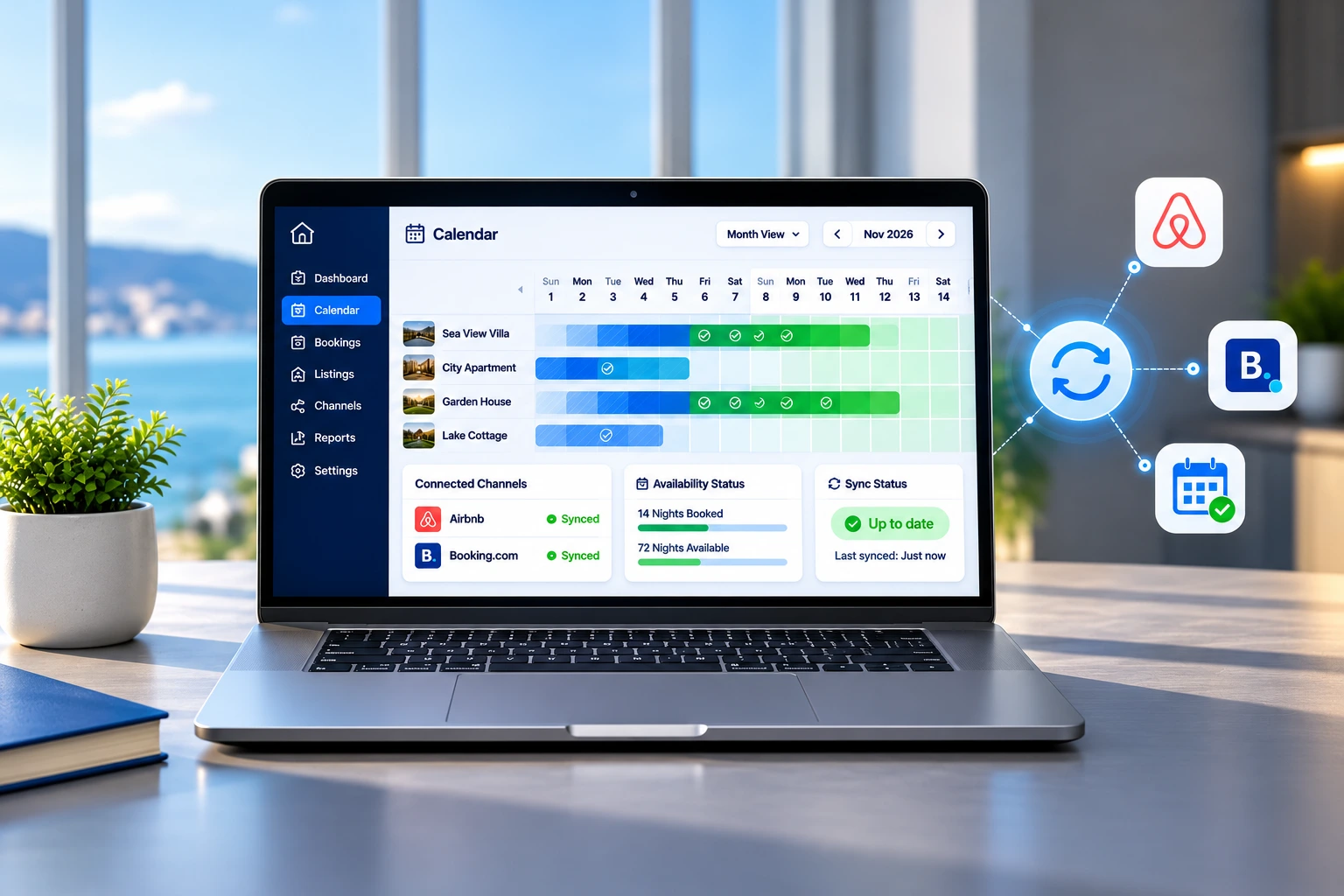
Host Central helps you keep calendars in sync across connected channels. When your rates or availability change, the platform is designed to carry those updates across, so what guests see on each channel stays aligned with your real calendar. This rate and availability sync is the feature that protects you from clashes.
All Bookings in One Calendar
Whatever platform a reservation comes from, it appears in your central booking calendar. You do not need to check several dashboards to know who is arriving and when. A single calendar also makes planning cleaning, maintenance and check-ins much easier.
Supported Channels
Host Central lets you connect your property to Airbnb, Booking.com and other supported channels, with Vrbo and Expedia among the platforms shown on its channel manager. As with any channel manager, availability depends on supported integrations, so it is sensible to confirm that the platforms you rely on are covered when you speak to the team. You can use the contact page or request a demo to check.
Guest Messaging in One Place
A channel manager that only syncs calendars still leaves you juggling inboxes. Host Central brings guest messaging into one place so conversations stay tied to the right booking and property. You can see the context quickly, respond faster and keep the guest experience consistent.
AI Tools With Centri
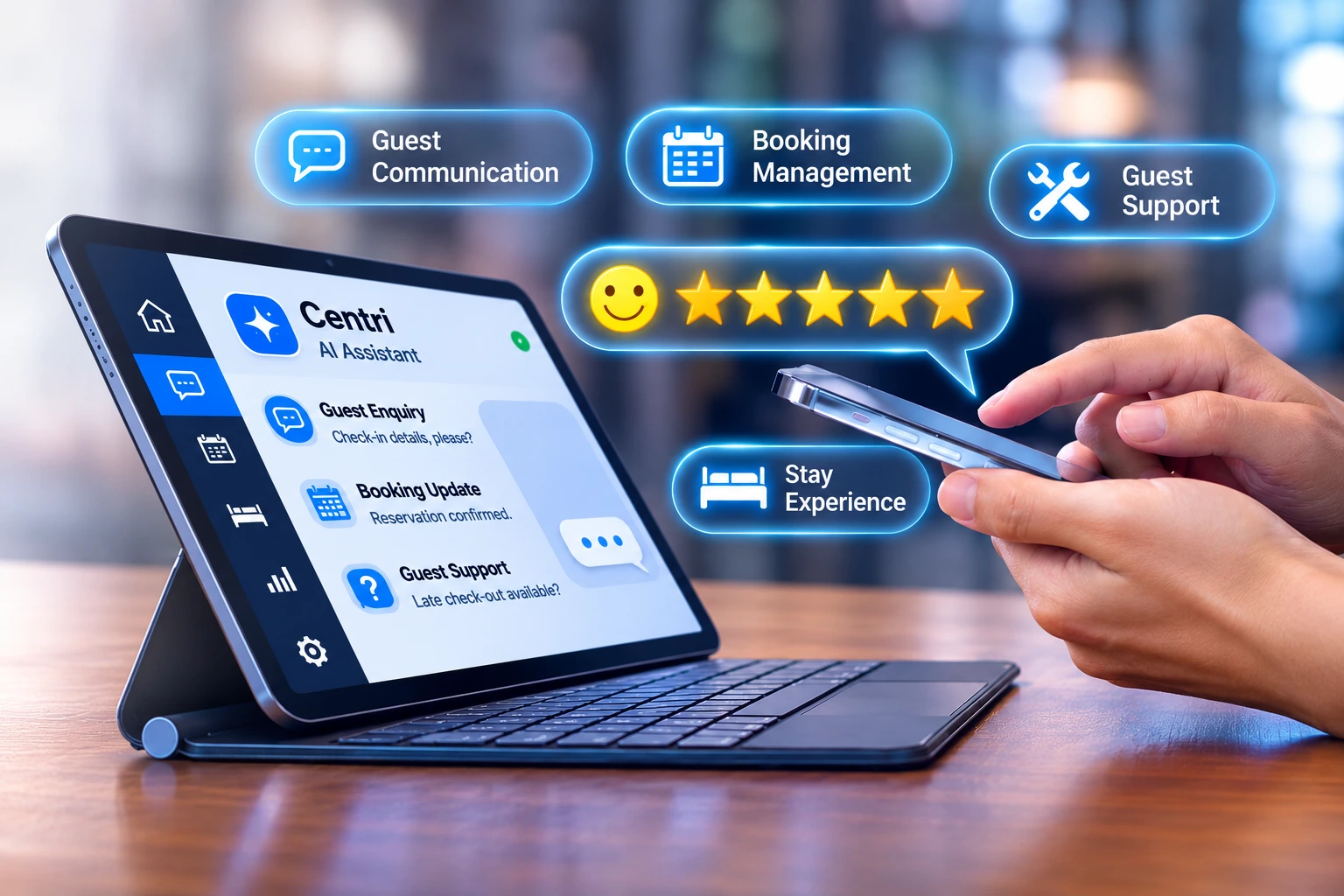
Host Central’s AI hosting assistant, Centri, powers a set of tools that go beyond basic channel management. They include AI Photo Enhancement for brighter, clearer listing photos, AI-generated listing descriptions, a Guest Reply Assistant for fast professional replies, Host Insights that turn your data into practical guidance and Find a Tradesman to locate trusted local help for repairs. You can explore each tool on the AI Tools page.
These features matter because the best vacation rental channel manager is not only about sync. It also helps you create stronger listings, answer guests quickly and make better decisions.
Team and Task Management
As a portfolio grows, so does the number of people involved. Host Central includes team and task tools so cleaners, co-hosts and maintenance contacts stay coordinated. Tasks connect to properties and bookings, which means fewer missed turnovers and less time chasing updates.
Direct Bookings and a Website Builder
Channel managers help you sell on platforms, but many hosts also want to build direct bookings and keep more of their revenue. Host Central includes direct booking tools and a Website Builder, so you can combine platform exposure with a stronger direct channel over time.
Payments and Reports
Secure payments and clear financial reports sit in the same platform, so booking data connects to income data. That makes it easier to see how each property performs without rebuilding spreadsheets.
Built for Hosts Around the World
Holidays are international, and so are hosts and guests. Host Central supports a wide range of languages on its site, which helps teams and owners who do not work in English every day.
Who Is Host Central’s Channel Manager Best For?
Independent hosts. If you manage one or two holiday properties, Host Central reduces admin and helps you avoid calendar mistakes, so you spend less time on logistics and more time with guests.
Property managers. If you run multiple properties, work with a team or manage on behalf of owners, the platform’s central hub, task tools and reporting help you scale without losing control. Our guide on why property managers choose Host Central explains this in more detail.
Hosts moving off spreadsheets. If you currently track bookings by hand or through scattered calendar apps, a channel manager is usually the biggest single upgrade you can make.
If you are not sure which of these describes you, the How It Works page shows the setup journey from start to finish.
Common Channel Manager Mistakes to Avoid
Even with good software, a few habits cause trouble.
-
Not checking channel coverage. Confirm your key platforms are supported before you commit.
-
Leaving old manual calendars running. Mixing manual updates with automatic sync can create conflicts.
-
Ignoring pricing differences between channels. Understand each platform’s fees and rules.
-
Forgetting about turnover time. Set sensible gaps between bookings so cleaners can do their job.
-
Not testing a new setup. Check that bookings, blocks and rate changes appear as expected on each channel.
-
Treating the channel manager as set-and-forget. Review your listings, photos and rates regularly.
-
Choosing on price alone. The cheapest tool is not the best if it lacks messaging, tasks or reporting you will need later.
Questions to Ask Before You Choose a Channel Manager
Before signing up for any platform, ask:
-
Which booking channels are supported today?
-
How quickly are rates and availability updated across channels?
-
Can I manage multiple properties from one dashboard?
-
How does the platform handle guest messages?
-
What team and task tools are included?
-
What reporting and payment features are available?
-
How easy is it to get started, and what support is offered? The Help Centre and FAQs are a good place to start.
-
Can the platform grow with my portfolio?
A trustworthy provider will answer these clearly. If answers are vague, treat that as a signal.
How to Get Started With Host Central
Setting up takes three simple steps.
-
Add your properties. Create property profiles with photos, details and settings.
-
Connect your channels. Sync your listings and availability in just a few clicks.
-
Manage with confidence. Handle bookings, guests, payments and more from one place.
When you are ready, create an account or book a personalised demo and tell the team how many properties you manage. You can also read more about the company on the About page and find hosting guides on the Host Central blog.
Final Verdict: The Best Channel Manager for Holiday Rentals in 2026
The best channel manager is the one that keeps your calendar accurate, connects the channels you actually use, saves you time and grows with you. For many hosts, that means choosing a platform where channel management is built into a complete system rather than bolted on as a separate tool.
Host Central combines a central listing hub, rate and availability sync, a single booking calendar, guest messaging, AI tools, team tasks, direct booking tools and reporting in one place. If you are tired of double-checking calendars and juggling platforms, it is well worth exploring. Visit the features page, compare the plans and see whether it fits your rentals.
Frequently asked questions
A channel manager is software that connects your property to several booking platforms and keeps listings, rates and availability aligned from one central place. It reduces manual work and helps prevent double bookings.
If you only use one platform, you may not need one yet. As soon as you add a second platform, such as Booking.com or Vrbo, a channel manager becomes very useful for keeping calendars accurate.
When a booking arrives on one channel, the channel manager updates your central calendar and passes the new availability to your other connected channels, so the same dates cannot be sold twice.
Host Central lets you connect to Airbnb, Booking.com and other supported channels, and its channel manager shows Vrbo and Expedia among the platforms. Availability depends on supported integrations, so confirm your platforms with the team.
Not exactly. A channel manager focuses on syncing listings, rates and availability across platforms. Property management software covers more of your operation, such as guest messaging, payments, tasks and reporting. Host Central combines both in one platform.
Yes. A good channel manager lets you manage multiple properties from one dashboard. Host Central is designed for both independent hosts and property managers with growing portfolios.
Yes. Guest conversations are managed in one place, and the Guest Reply Assistant helps you write quick, professional replies.
Host Central includes direct booking tools and a Website Builder, which can help you build a direct channel alongside your platform listings.
Setup time depends on how many properties and channels you have. With Host Central, you add your properties, connect your channels and start managing, and the Help Centre and demo are available if you want guidance.
Check which channels are supported, how reliably it syncs rates and availability, whether it offers a central calendar, guest messaging and team tools, how easy it is to set up and whether it can grow with you. Then request a demo and test it against your own properties.